
Evenly Split – Shared Expenses
Finance · Shared Expenses
Split bills,
stay friends.
Split bills with flatmates, trips, couples and teams. Add a bill, choose who shared it, and Evenly keeps one clear balance for everyone — so you always know who owes what and can settle up in a tap.
Free downloadfor Android phones
5
Ways to split
8
Languages
1
Balance per person
0
Bank details needed
Everything you need, nothing you don't
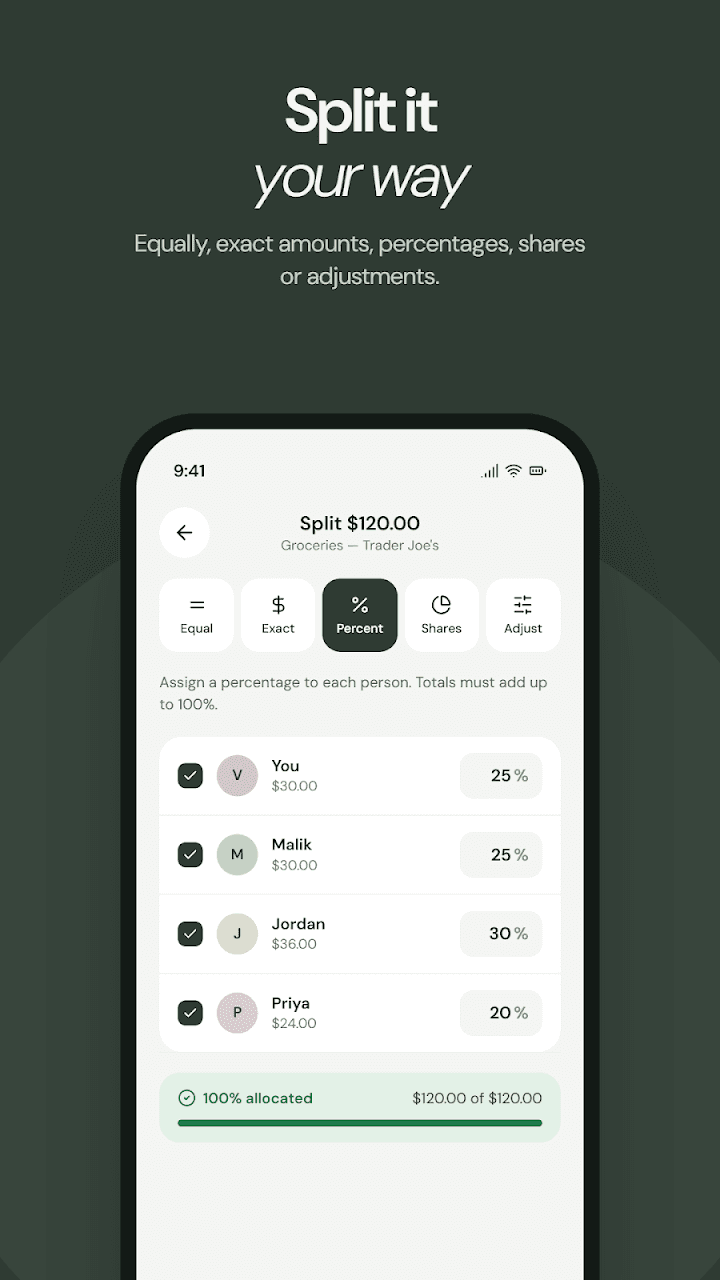
Split any way
Equally, by exact amounts, percentages, shares or adjustments — and splits always add up exactly, down to the last cent.
Item-by-item splits
Split a bill line by line, with tax and tip shared fairly. Save a default split for each group.
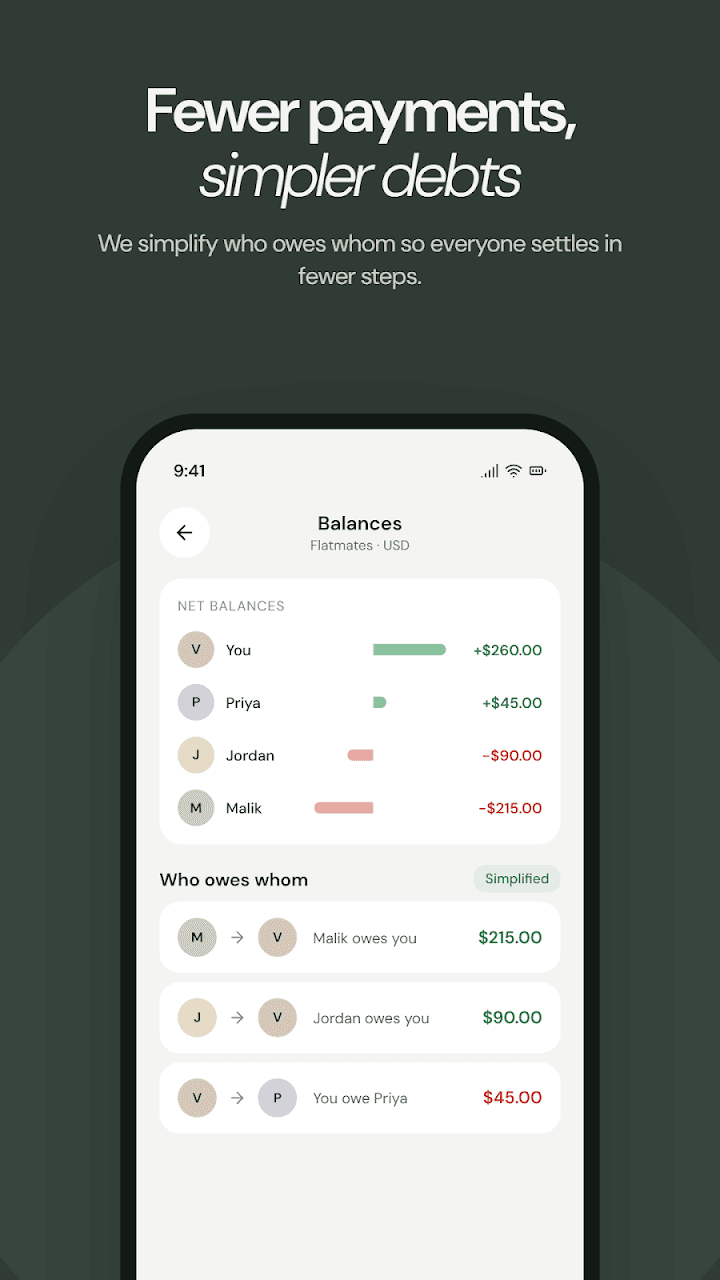
Know who owes what
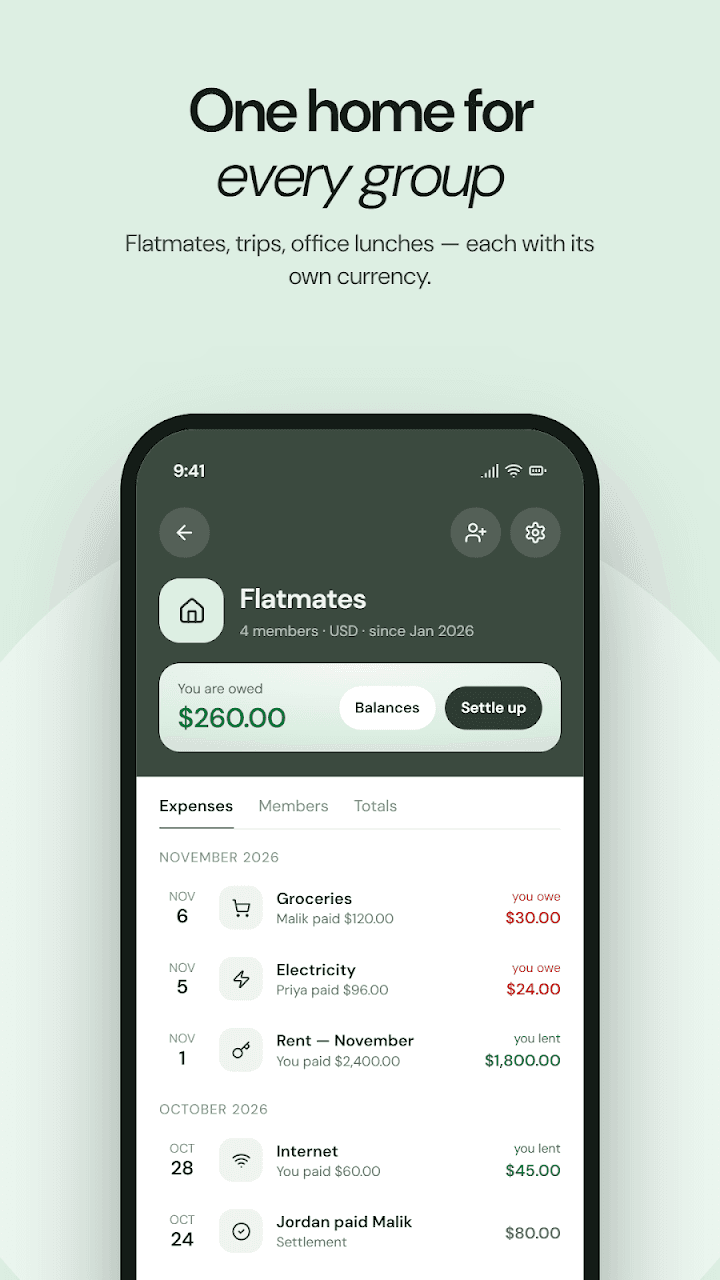
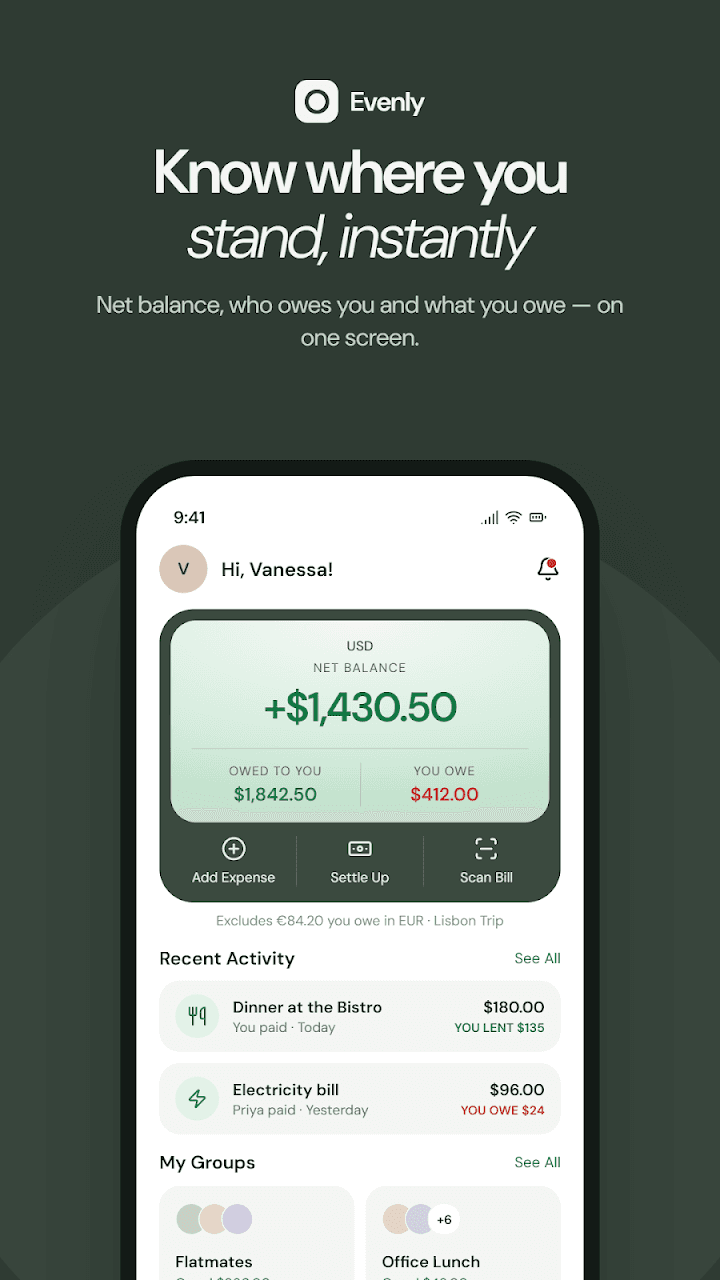
One balance per person across all your groups — green is what you're owed, red is what you owe.
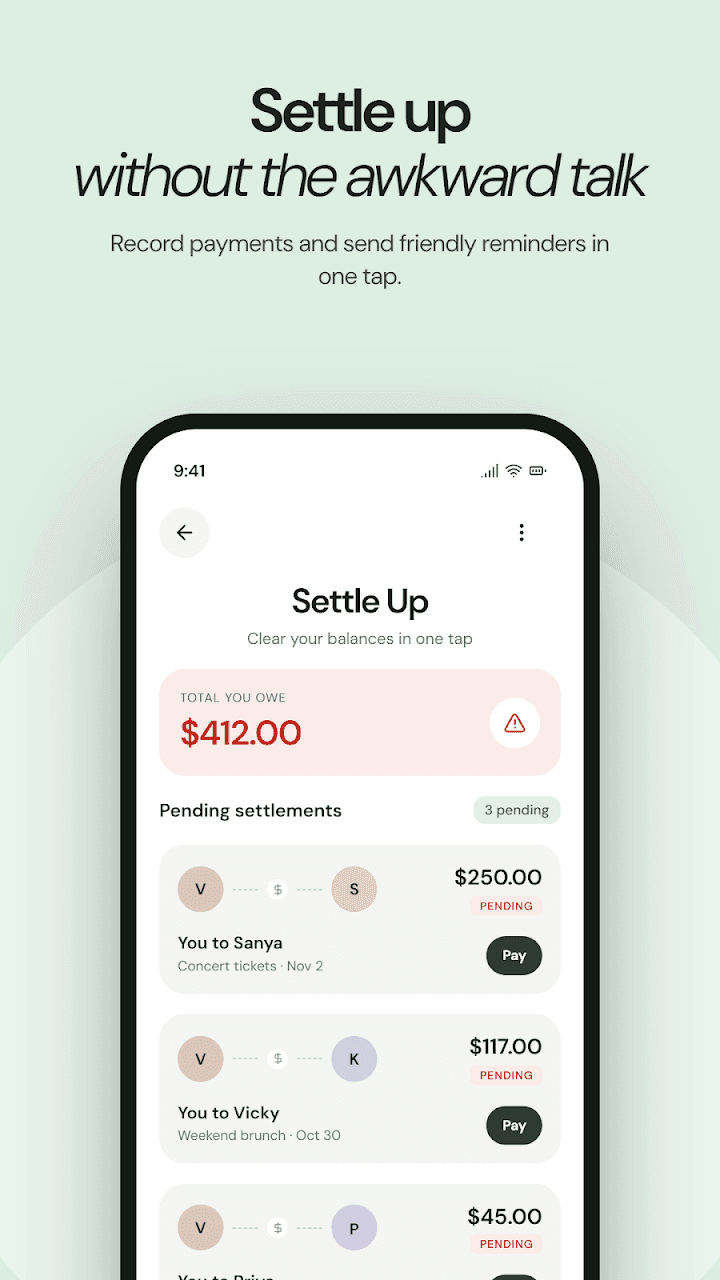
Settle up in a tap
Record a payment and the other person confirms it, or send a friendly reminder. Evenly never moves money itself.
Invite with a link or QR
Bring friends into a group instantly and get notified when expenses are added or settled.
Recurring expenses
Rent, bills and subscriptions are added on schedule, so shared costs never slip through.
Receipt scanning
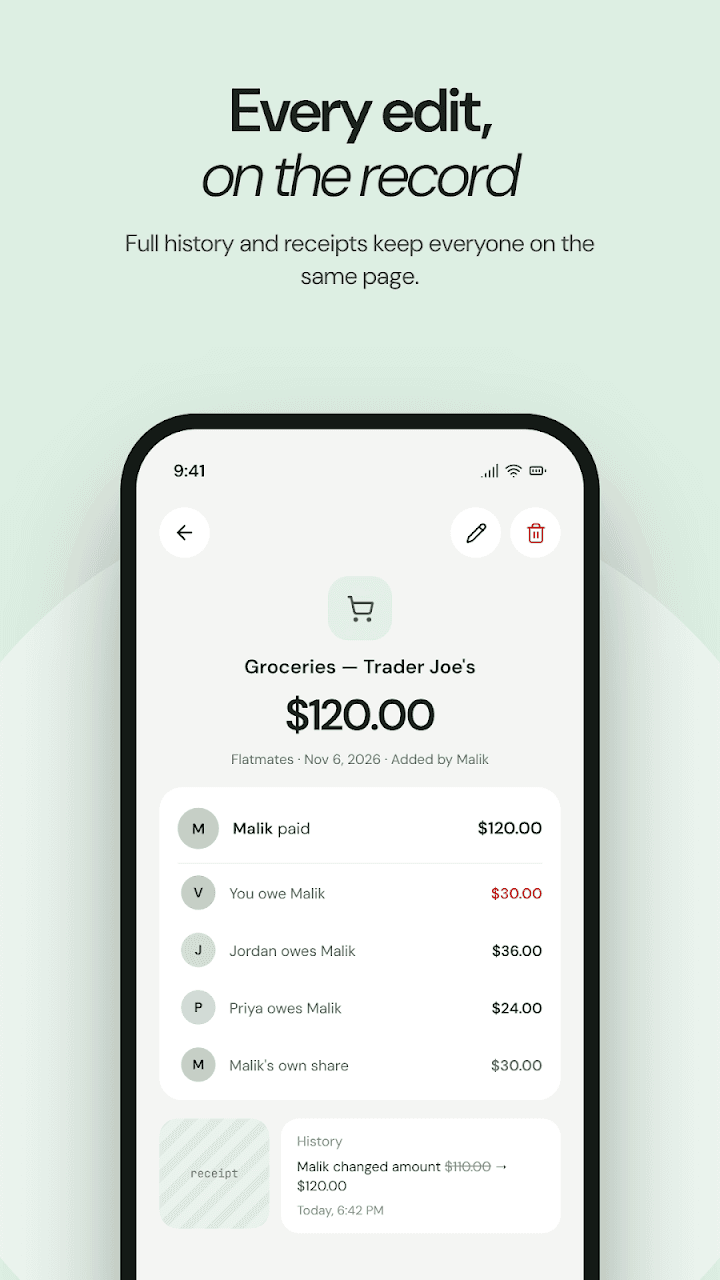
Scan a receipt on your phone to fill in the total, date and items automatically.
Multi-currency & CSV
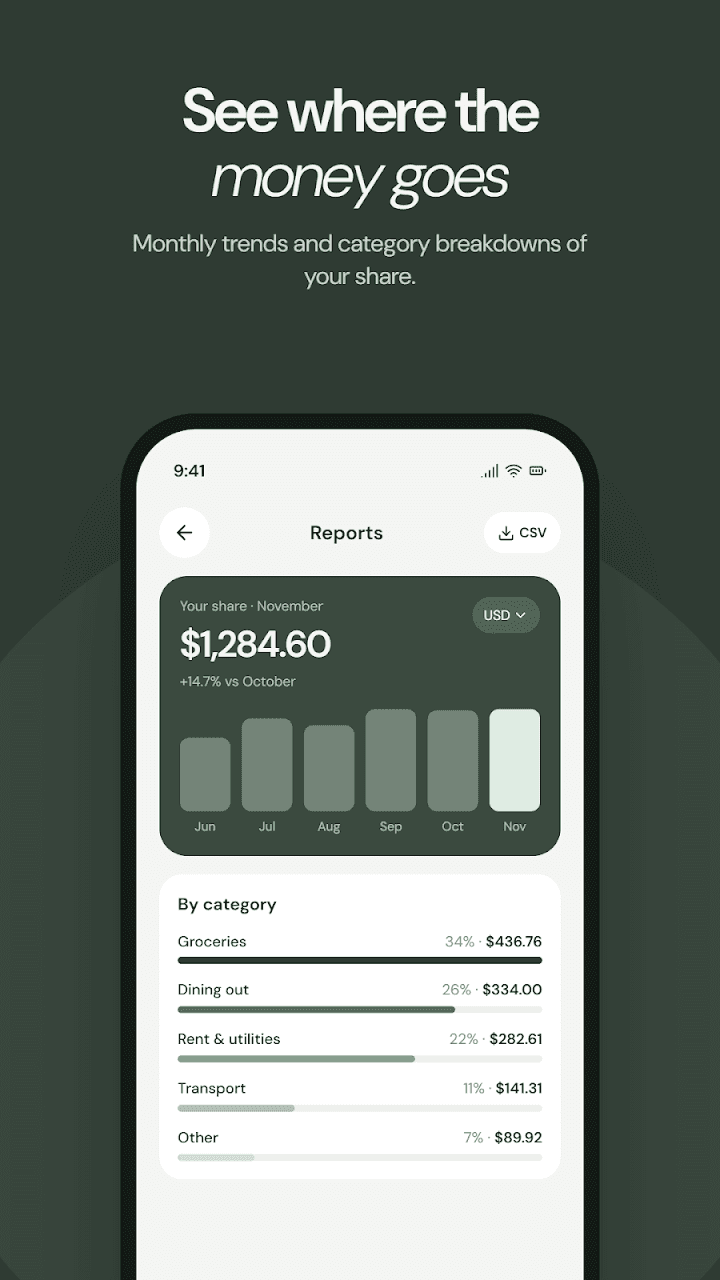
Every currency tracked separately with an approximate total at today's rates, plus CSV import from spreadsheets or bank exports.
Take a look inside
Up and running in three steps
Create a group
Flatmates, a trip, a couple or a team — invite everyone with a link or QR code.
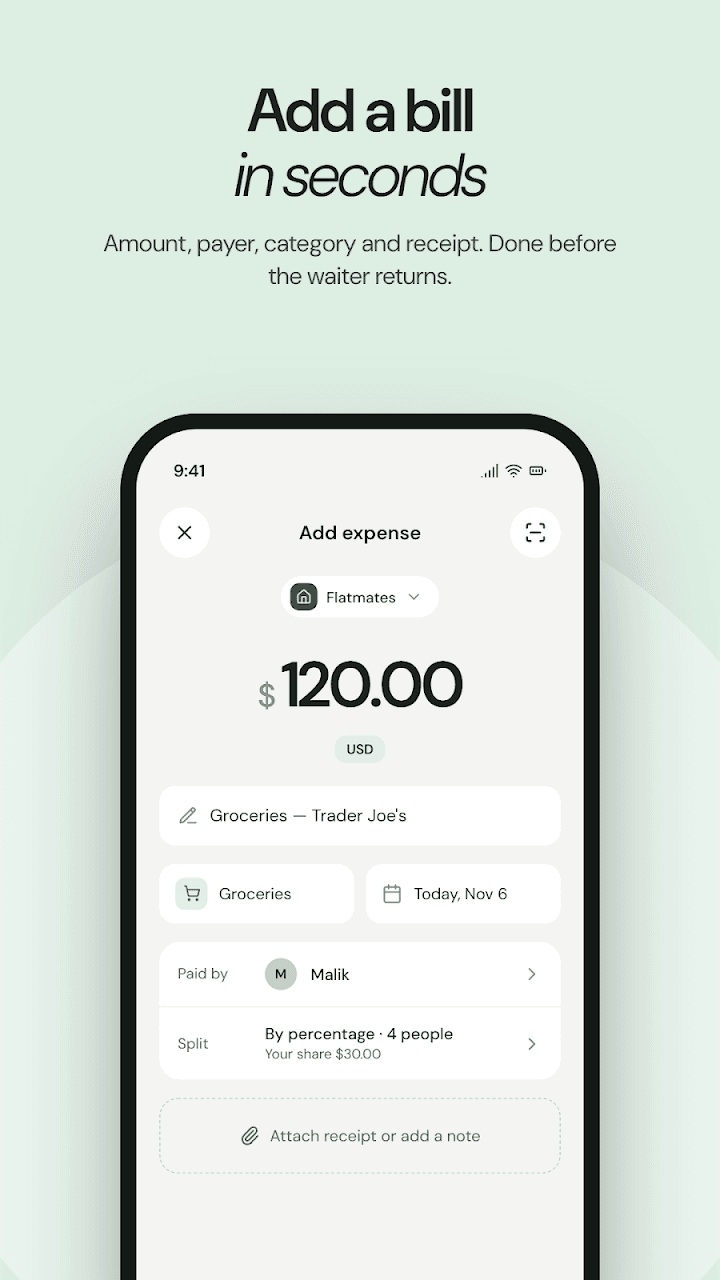
Add a bill
Enter the amount, choose who shared it and how to split it.
Settle up
Check who owes what, record payments and send reminders when needed.
Start free, upgrade anytime
Subscriptions are managed through Google Play and can be cancelled anytime.
Forever
Free
- 3 groups you create
- 15 expenses a month
- Unlimited joining & settling up
- Supported by small ads
Monthly or yearly
Evenly Pro
- Unlimited groups & expenses
- Receipt scanning & item-by-item splits
- Currency totals & CSV import
- No ads
Private by design
Your groups and expenses are only visible to the people you invite. Sign in securely with Google. Evenly only records payments made elsewhere — it never moves money or asks for bank details.
No. Evenly only records payments you make elsewhere, like cash or a bank transfer. It never moves money or asks for bank details.
Get Evenly Split – Shared Expenses on your phone today
Free to download on Google Play.